It’s funny how we carry these pocket supercomputers around for years and still only use about 10% of what they can actually do. Most people treat their phones like a digital Swiss Army knife but only ever open the toothpick.
Here are a few “hidden in plain sight” features that usually make people say, “Wait, since when?”
1. The Back Tap (The “Secret Button”)
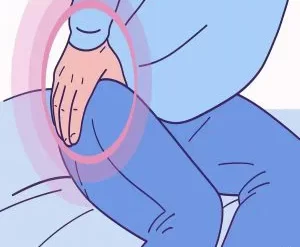
Both iPhone and many Android devices allow you to turn the entire back of your phone into a button.
- The Magic: You can set a “Double Tap” or “Triple Tap” on the back glass to trigger things like the flashlight, a screenshot, or even open your camera.
- How to find it: * iOS: Settings > Accessibility > Touch > Back Tap.
- Android: Settings > System > Gestures > Quick Tap.
2. Precise Cursor Control
If you’ve been frustrated trying to tap between two tiny letters to fix a typo, stop.
- The Trick: Just press and hold the Spacebar.
- The Result: Your keyboard turns into a trackpad. You can slide your thumb left, right, up, or down to glide the cursor exactly where it needs to be. It’s a total game-changer for editing texts.
3. Smart Document Scanning
You don’t need a third-party app (or a clunky physical scanner) to turn paper into a PDF.
- iPhone: Open the Notes app, tap the camera icon, and select “Scan Documents.” It automatically crops and flattens the image.
- Android: Open Google Drive, tap the “+” button, and hit “Scan.”
4. Background Soundscapes
If you use “Rain Sounds” or “White Noise” apps to focus or sleep, your phone probably has this built-in for free.
- iOS: Settings > Accessibility > Audio/Visual > Background Sounds. You can choose balanced noise, ocean, rain, or stream.
- Android: Usually found under Digital Wellbeing > Bedtime Mode or via the Clock app’s “Sleep Sounds.”
5. Medical ID & Emergency Sharing
This one is less “fun” and more “lifesaving,” but it’s often overlooked.
- The Feature: You can set up a profile that allows first responders to see your blood type, allergies, and emergency contacts without unlocking your phone.
- Pro Tip: You can also set your phone to “Quietly Notify” emergency contacts if you trigger an SOS (usually by clicking the power button five times).
Which one of these did you actually know about, or are you currently tapping the back of your phone to see if it works?